Mistserver - a new multimedia streaming server - First overview

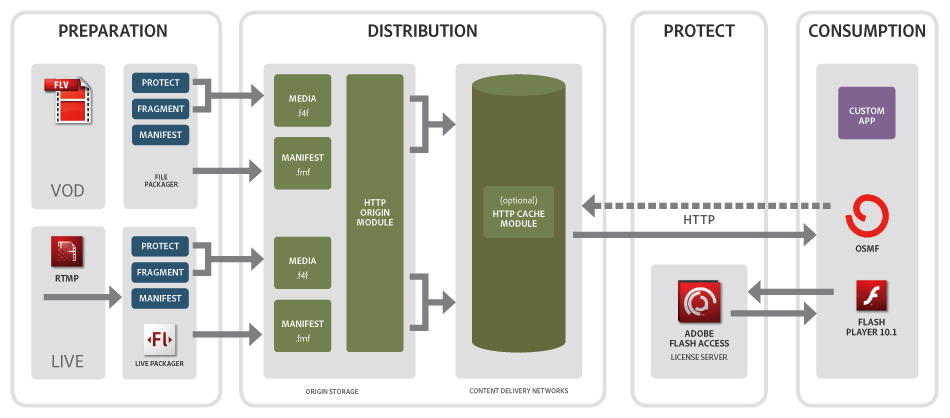
Mistserver is a open-source multimedia streaming server developed by DDVTech a company based in Netherlands. This server will support some technologies : HLS, HDS, Smooth Streaming, RTMP, ...
For the moment, HDS, RTMP and progressive download are available. You can push too livestream via RMTP. The company have two others solutions : MistSteward, MistCenter.
DDVTech positions his solution in a competitive market with some actors : Adobe Media Server, Wowza, Red5, Apache, ...
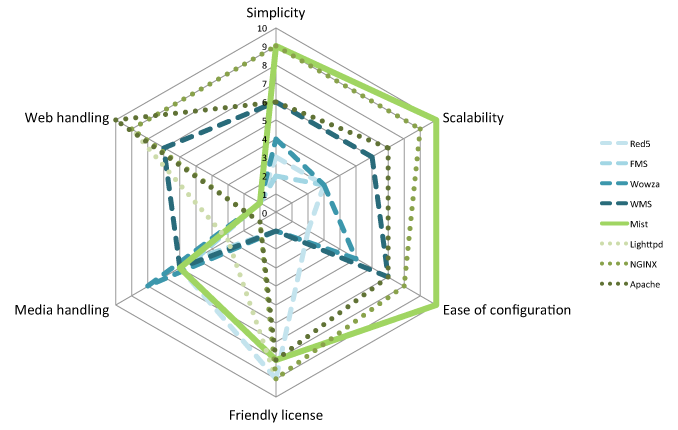
The solution is open-source so the source code is available on GitHub.
The main idea, in the server architecture, is to have a specific process for each viewer. The main concept design is modularity via some Server API.
For this first quick overview, I use a Virtual Machine based on Ubuntu 64bits. In the download section of the site, you have some statics binaries. In my case, I compile the library and the server. You need to install some packages before, if they are not already installed :
apt-get install pkg-config openssl-dev g++
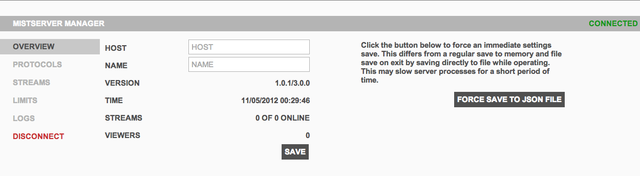
Then, just follow the QuickStart page. When it's finished, have a look on administration home page.
 Ok, now I will stream a VoD content. To do that, you need to use a FLV file (named here movie.flv). Please take care when you use the commandline MistFLV2DTSC : you need to have the \< > in your command. The video is piped in the MistFLV2DTSC and then output in the dtsc file.
MistFLV2DTSC < movie.flv > movie.dtsc
MistDTSCFix movie.dtsc
Now, add your content in the administration portal. Go in Protocols and add a new one. You can add 2 types of protocols : HTTP or RTMP and associate it to a port. The interface is the network interface you want to use.
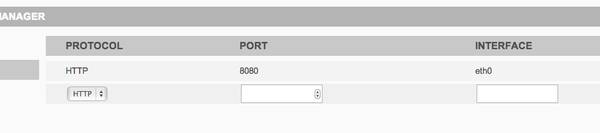
Ok, so your server is set-up to stream file on HTTP and port 8080. Without adding one protocol, you can't be able to stream a content.
Now, add our video (the movie.flv file). Go in Stream, fill a name and a source (the location of the file in the server). 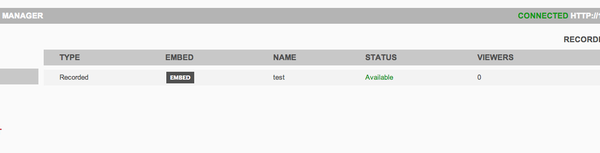 You will see in the server log (available via the Administration interface or via shell)
[STRM] New stream test
After few moment, the status updates to Available. You can now preview the content, click on Embed then Preview.
To finish, you can access to your content via differents url for the differents protocols :
- for FLV : http://server_address:port/movie.flv
- for F4m : http://server_address:port/movie/manifest.f4m
Next step is to set-up a live stream and playing with the server, but this is for another post ;-)
Update 12th April 2013 : Release of version 1.1